Best Android Emulators for Playing Shadow Fight Games on PC
Playing Shadow Fight games on PC isn’t just about installing any random emulator and hoping for the best. These games rely heavily on timing, fast reactions, smooth animations, and precise controls, and the wrong emulator can easily ruin the experience with input lag, frame drops, or unstable performance.
Download Shadow Fight 2 for PC (Windows & Mac) with Step-by-step guide for PC installation
Shadow Fight 2, Shadow Fight 3, and Shadow Fight 4 Arena all behave differently on emulators. Some run fine on low-end systems, while others need better optimization and higher FPS to feel playable. Add MOD APK usage into the mix, and emulator choice becomes even more important for stability and offline testing.
In this guide, we break down which Android emulators actually work well for Shadow Fight games, how they perform on different PCs, and which ones make sense depending on the game you’re playing. No hype, no generic lists, just practical recommendations based on real usage.
Why Choosing the Right Emulator Matters for Shadow Fight Games
Shadow Fight games are far more sensitive to emulator quality than most casual Android titles. Every fight depends on tight timing, fast reactions, and consistent frame delivery. If your emulator introduces even slight input delay or frame drops, the game immediately feels unfair, especially during boss fights or PvP matches.
Many players assume all emulators behave the same. In reality, emulator choice directly affects combat responsiveness, animation smoothness, loading stability, and even how MOD features behave offline. A poorly optimized emulator can make Shadow Fight feel sluggish, while the right one can make PC gameplay noticeably better than mobile.
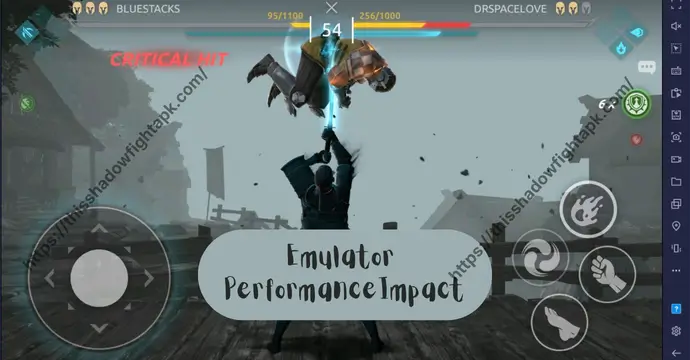
How Shadow Fight Games Stress Emulators Differently
Not all Shadow Fight games demand the same resources.
- Shadow Fight 2 is lighter but very timing-focused. Even small input delays can break combos or mistime blocks.
- Shadow Fight 3 is heavier, with 3D visuals, advanced animations, and shadow effects that push CPU and GPU usage higher.
- Shadow Fight 4 Arena is the most demanding, especially in real-time PvP, where frame drops or lag can cost entire matches.
This means an emulator that runs SF2 perfectly may struggle with SF3 or SF4 Arena. Choosing an emulator without considering the specific game often leads to crashes, overheating, or inconsistent FPS.
Emulator Impact on Combat Timing and Controls
Combat in Shadow Fight relies on precise hit windows, quick dodges, and clean combo execution. A good emulator keeps input latency low and frame pacing stable, so attacks register exactly when you press a key.
A bad emulator does the opposite:
- Delayed attacks
- Missed blocks
- Unresponsive rolls or jumps
This becomes even more noticeable when using keyboard controls, where players expect PC-level responsiveness. If the emulator can’t translate inputs efficiently, PC gameplay feels worse than mobile instead of better.
Choosing the right emulator ensures Shadow Fight combat feels sharp, predictable, and skill-based, not random or frustrating.
Key Factors to Consider Before Choosing an Emulator
Before installing any emulator, it’s important to understand that Shadow Fight games are not casual tap-and-play titles. They demand stable performance, accurate input handling, and consistent compatibility across long play sessions. Choosing an emulator without checking these basics often leads to lag, crashes, or broken controls.
Here are the key factors that actually matter when playing Shadow Fight games on PC.
Performance, FPS, and Input Lag
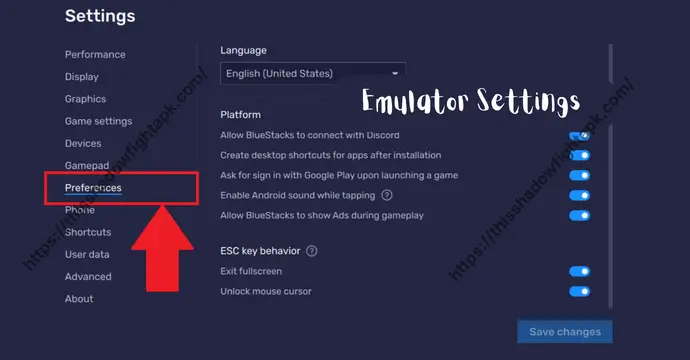
Performance is the most critical factor. Shadow Fight combat relies on smooth animations and fast reactions, so low FPS or unstable frame pacing can ruin the experience.
A good emulator should:
- Maintain steady FPS during fights
- Minimize input delay for attacks and blocks
- Handle long sessions without performance drops
If an emulator struggles to keep stable frames, even simple enemies can feel harder than they should.
Compatibility With Shadow Fight 2, 3, and 4 Arena
Not every emulator handles all Shadow Fight games equally well.
- Shadow Fight 2 is lighter but sensitive to timing.
- Shadow Fight 3 requires better graphics handling and RAM.
- Shadow Fight 4 Arena needs real-time stability for PvP matches.
An emulator that works fine for one game may struggle with another, so compatibility across all three titles is important if you play more than one.
MOD APK Support and Offline Stability
Many players use emulators to test MOD features offline, unlock gear, or practice without grinding. For this, emulator stability matters more than raw power.
Look for emulators that:
- Run MOD APKs without random crashes
- Support offline play reliably
- Don’t break game data after updates or restarts
A stable emulator ensures MOD testing feels smooth and controlled, not risky or unpredictable.
Best Android Emulators for Shadow Fight Games (Tested List)
Not all Android emulators are created equal, especially when it comes to timing-sensitive games like Shadow Fight. After testing performance, stability, MOD compatibility, and controls across multiple emulators, these four stand out as the best options for PC players.
BlueStacks | Best Overall Emulator for Shadow Fight
BlueStacks remains the most popular choice for Shadow Fight games because it offers high compatibility, smooth performance, and easy key mapping. It handles SF2, SF3, and SF4 Arena without major frame drops and supports MOD APK testing offline. Features like custom control layouts and graphic optimization make it ideal for both casual and experienced players.
LDPlayer | Lightweight and Performance-Focused
LDPlayer is perfect for players with mid-range PCs or laptops. It’s lightweight, loads quickly, and can maintain high FPS even on older hardware. While it may lack some advanced BlueStacks features, LDPlayer runs all Shadow Fight titles reliably, and MOD APKs install without issues, making it a solid alternative for resource-conscious users.
NoxPlayer | Custom Controls and MOD Testing
NoxPlayer is known for its flexible key mapping and controller support, making it excellent for experimenting with different control setups. It handles Shadow Fight 2, 3, and 4 Arena well, though slightly heavier than LDPlayer. Its biggest advantage is the ability to test MOD features offline, giving players a safe environment to experiment with unlocked gear and abilities.
MEmu Play | High FPS and Advanced Key Mapping
MEmu Play is built for high-performance gaming. It excels at maintaining stable FPS in SF3 and SF4 Arena, even with MOD features enabled. Its advanced key mapping and multiple instance support make it ideal for players who want to practice multiple accounts or test different heroes and builds efficiently.
Each of these emulators brings something different to the table, but all four are proven to handle Shadow Fight games smoothly on Windows and Mac, giving players the control, speed, and reliability they need.
Best Emulator for Each Shadow Fight Game
While the emulators listed earlier all perform well, certain Shadow Fight titles benefit more from specific emulators due to their gameplay demands, graphics requirements, and real-time mechanics. Here’s a breakdown to help you choose the best option for each game.
Best Emulator for Shadow Fight 2
For SF2, BlueStacks is the top pick. The game is lighter than its successors but highly sensitive to timing and input lag, especially in boss fights. BlueStacks provides consistent FPS, smooth controls, and easy key mapping, making it the most reliable choice for both casual play and MOD testing offline.
Best Emulator for Shadow Fight 3
Shadow Fight 3 introduces 3D graphics, advanced animations, and shadow abilities, which put more strain on emulators. MEmu Play handles these demands best, maintaining stable FPS and smooth combat even with MOD features enabled. Players on mid-range PCs can also use LDPlayer effectively if graphics settings are optimized for performance.
Best Emulator for Shadow Fight 4 Arena
SF4 Arena’s real-time PvP requires maximum stability, precise controls, and low input lag. BlueStacks again shines here, providing reliable performance for online matches and offline MOD testing. NoxPlayer is a good alternative for players who want custom key mapping or controller support while practicing different strategies.
Choosing the right emulator per game ensures smooth gameplay, accurate combat timing, and reliable MOD experimentation, whether you’re grinding campaigns or testing PvP setups.
Performance Comparison | Low-End vs High-End PCs
Running Shadow Fight games on PC isn’t just about the emulator, it also depends heavily on your system’s hardware. Performance can vary dramatically between low-end laptops and high-end gaming rigs, affecting FPS, input responsiveness, and overall gameplay smoothness.
Emulators for Low-RAM and Older Systems
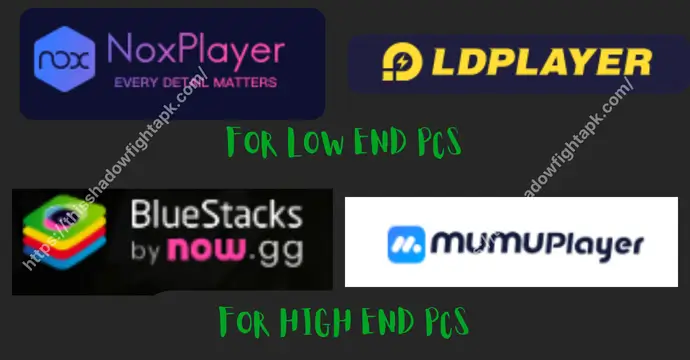
If you’re using a PC with 4 to 8 GB of RAM and an older CPU, performance optimization is key. Lightweight emulators like LDPlayer or NoxPlayer are ideal. They use fewer resources, maintain stable FPS for SF2 and SF3, and allow MOD testing offline without major slowdowns.
Tips for low-end PCs:
- Lower graphics settings in the emulator
- Allocate 2-4 CPU cores and 2-4 GB RAM to the emulator
- Close unnecessary background apps for better stability
Even on older machines, these tweaks ensure smooth combat and reliable input, preventing lag that can ruin timing-sensitive battles.
Emulators for Gaming PCs and High FPS Play
For high-end PCs with 16+ GB RAM, dedicated GPUs, and multi-core processors, you can unlock the full potential of Shadow Fight games. BlueStacks and MEmu Play take advantage of powerful hardware, offering:
- High FPS for ultra-smooth combat
- Stable frame pacing for SF3 and SF4 Arena
- Multi-instance support for testing MOD features or multiple accounts
High-end setups allow you to push graphics to the max, enjoy detailed animations, and execute precise combos without worrying about input delay. This makes boss fights and PvP matches far more responsive and enjoyable.
Choosing an emulator based on your PC specs ensures you get the smoothest, most consistent Shadow Fight experience, regardless of whether you’re playing SF2, SF3, or SF4 Arena.
Common Emulator Issues While Playing Shadow Fight Games
Even the best Android emulators can run into issues when playing Shadow Fight games. Knowing the most common problems and how to address them can save you time and prevent frustration, whether you’re grinding through campaigns or testing MOD features offline.
Lag, Stuttering, and Frame Drops
One of the most frequent complaints is lag or stuttering during combat. This usually happens when:
- Your PC is running too many background applications
- The emulator isn’t allocated enough CPU or RAM
- Graphics settings are too high for your system
Solutions:
- Close unnecessary apps while playing
- Allocate more resources to the emulator (2-4 CPU cores, 4-8 GB RAM depending on your system)
- Lower graphics settings to improve FPS
Key Mapping and Control Delays
Incorrect or delayed key inputs can make Shadow Fight combat feel unresponsive. Common causes include:
- Default emulator key mapping not optimized for Shadow Fight
- Conflicts with other software capturing keyboard inputs
Solutions:
- Customize key mapping in the emulator settings
- Use a wired keyboard or controller for more reliable input
- Test key bindings offline before jumping into PvP or MOD testing
Crashes, Freezes, and Game Not Launching
Occasionally, the game may fail to start or crash mid-play. This can be triggered by:
- Incompatible emulator versions
- MOD APK conflicts
- Corrupted emulator cache or data
Solutions:
- Ensure you’re using the latest version of the emulator
- Clear emulator cache or reinstall the emulator if issues persist
- Test MOD APKs offline first to avoid corrupting game files
Addressing these issues proactively ensures a smooth, stable, and responsive Shadow Fight experience, whether you’re playing SF2, SF3, or SF4 Arena.
Are Emulators Safe for Shadow Fight Games?
Many players worry about account bans, MOD APK risks, or online restrictions when using emulators to play Shadow Fight games. While emulators themselves are generally safe, it’s important to understand what is allowed, what isn’t, and how to protect your progress.
Account Safety and Online Play
Playing Shadow Fight games on an emulator is usually safe for offline campaigns and MOD testing. However, online modes, especially PvP in SF4 Arena or Shadow Fight 3, are server-monitored, meaning:
- Using MOD features online can result in temporary restrictions or bans
- Input lag or emulator detection may prevent smooth matchmaking
- Always test MODs offline before attempting online battles
Sticking to offline play or using official accounts for online matches minimizes risks while still allowing you to enjoy the PC advantages of an emulator.
MOD APK Usage and Emulator Risks
Running MOD APKs through emulators comes with additional considerations:
- MODs generally work offline without issues, but some server-verified features may be disabled online
- Using outdated or unstable MOD APKs can corrupt saved data or crash the emulator
- Always download MODs from trusted sources and keep backups of your progress
By understanding the boundaries of emulator and MOD use, you can enjoy Shadow Fight games safely while maximizing the benefits of keyboard controls, high FPS, and stable PC gameplay.
Final Recommendation: Best Emulator Based on Your Needs
- BlueStacks (Best for players who want overall stability, maximum compatibility, and easy key mapping. Ideal for SF2, SF3, and SF4 Arena on mid to high-end PCs. It’s perfect for casual or competitive players who want a reliable emulator experience.)
- LDPlayer (Recommended for low to mid-range PCs. Lightweight and optimized for performance, it runs all Shadow Fight games well, making it great for offline MOD testing or casual play without putting too much strain on your system.)
- NoxPlayer (Best if you want custom controls, controller support, or offline MOD experimentation. Slightly heavier than LDPlayer, but excellent for players who enjoy tweaking key bindings and testing strategies across multiple heroes.)
- MEmu Play (Ideal for high-end PCs or players who want high FPS, advanced key mapping, and multi-instance support. Perfect for experimenting with multiple accounts, testing MOD features, or practicing PvP strategies with maximum performance.)
The best emulator for you depends on your hardware and goals. If your PC is powerful, BlueStacks or MEmu will give the most fluid experience. For older systems, LDPlayer or NoxPlayer ensures stable gameplay without sacrificing too much performance.
Choosing wisely guarantees smooth controls, accurate combat timing, and reliable MOD testing, making your Shadow Fight experience on PC far superior to mobile gameplay.
Using an Android emulator to play Shadow Fight games on PC can transform your experience, offering better controls, smoother graphics, and reliable MOD testing. The right emulator ensures precise combat timing, consistent FPS, and stable gameplay across Shadow Fight 2, 3, and 4 Arena.
We’ve tested and recommended BlueStacks, LDPlayer, NoxPlayer, and MEmu Play, each catering to different systems and player needs. Whether you’re running a low-end laptop, a gaming rig, or just experimenting with MODs offline, there’s an emulator that fits your setup.